
Legal AI just showed up in Word.
Let’s make it safe to use.
Microsoft’s Copilot for Legal adds legal drafting, contract review and matter tools right inside Word. If your firm already uses Copilot, it’s turning on in Word desktop without anyone setting it up.
Big firms have IT departments rolling this out. Small firms usually don’t. We get your files and permissions ready, set Copilot up around your own templates, and train your team on real work, so the tools help instead of creating new risks.
For private law firms of about 2–20 people. Not a law firm? See Copilot setup for any office.
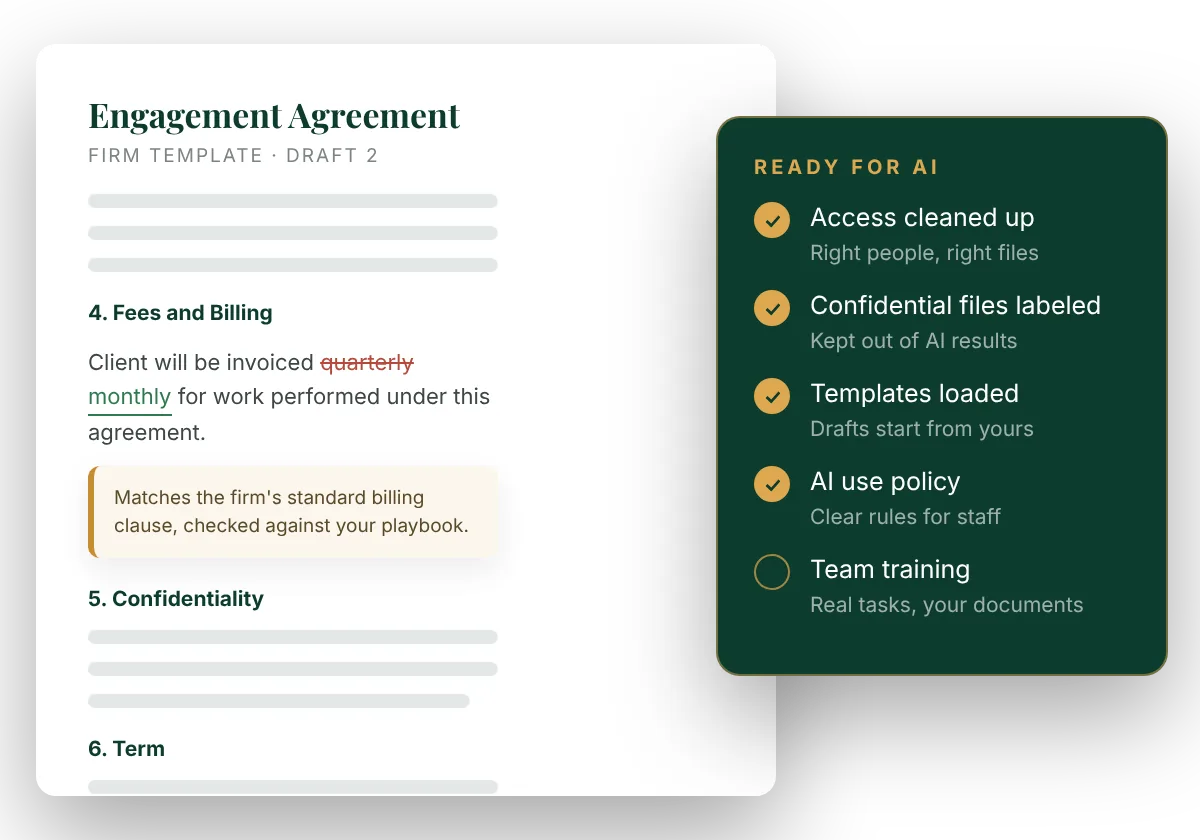
Microsoft built legal work into Word.
Copilot for Legal launched in October 2026 with more than 20 legal skills in Word and Cowork, Microsoft’s AI workspace. Here’s what your team will start to see.
Drafting from your own templates
First drafts that start from the firm’s approved templates and precedents, not a blank page or the internet.
Contract review with tracked changes
Review an agreement against your firm’s playbook, with suggested edits shown as normal tracked changes.
Obligations and key dates
Pull the obligations and dates out of an agreement so nothing in it gets missed.
Research into guidance
Turn research into a structured, plain-language summary your team can use.
Matter work
Case chronologies, meeting minutes and other everyday matter tasks.
Review across many documents
Pull key terms from a stack of agreements at once, which helps with due diligence and file reviews.
AI is only as careful as your files are organized.
Microsoft says it plainly: “Copilot respects access permissions and sensitivity labels.” That means it works from whatever each person can already open in Microsoft 365. In most small firms, that’s more than anyone realizes: old shared folders open to everyone, client files saved in personal OneDrives, sensitive documents with no label at all.
Microsoft and its legal software partners gave firms the same advice when this launched: secure and organize your data before you turn on AI. That’s the part small firms don’t have time for, and it’s exactly the work we do.
There has to be a better way than hoping nobody asks Copilot the wrong question. There is: get ready first, then turn it on.
Ready, set up, and actually used.
AI Readiness
Clean up who can open what in SharePoint, Teams and OneDrive. Label confidential files so Copilot keeps them out of its answers. Write a simple AI use policy your staff can follow.
Copilot Setup
The right Copilot licenses for your firm, through Prevail as a Microsoft reseller. Your templates and precedents organized in SharePoint, and the legal tools set up around them.
Training & Adoption
Hands-on sessions built on real tasks: drafting an engagement letter, reviewing an agreement, building a chronology. Plus quick guides your team will actually keep.
Deadlines & Workflows
For deadline-heavy practices, we set up deadline tracking, reminders and matter checklists in Microsoft 365, so nothing depends on one person’s calendar.
Transactional practices
Estate planning and probate, real estate, business and corporate law, title and closing work. Copilot for Legal is built contracts-first, so these firms get the most from it.
Firms of about 2–20 people
Big enough to have years of documents and permissions to sort out, small enough not to have an IT department.
Already on Microsoft 365
Or ready to move to it. Microsoft 365 is our lead, but we also work in Google Workspace, QuickBooks and other practice software.
We already pay for Microsoft. Now there’s AI in Word, and we don’t know what’s safe to use or how to get the team using it.
Start with your deadlines.
Copilot for Legal is strongest on contracts. If your practice runs on court dates, we start with how your deadlines are tracked: one shared, reliable system in Microsoft 365, with reminders and a clear owner for every date.
See an example in our Case Desk demo.
Every firm starts in a different place, so we quote after a short conversation about your setup. Contact us for a quote.
Licenses can be added to your existing Microsoft 365 through Prevail, so you have one place to call.
You want AI to replace your staff.
We set up and train on Microsoft’s tools so your people work better, not to automate them away.
You already have an IT team rolling it out.
Larger firms with in-house IT usually have this covered.
You want it on without the cleanup.
We won’t skip the readiness step. It’s what keeps client information safe.
Is your firm ready for AI in Word?
Book a free 30-minute Strategy Review. We’ll talk through your setup and what to do first.
No obligation. You’ll get a written proposal before any work begins.